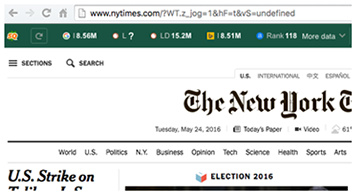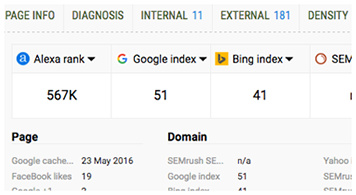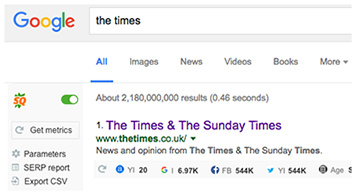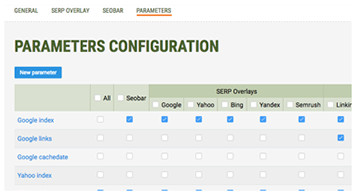
SeoQuake
Official homepage

twitter.com

New version 1.0.16 SQ for Chrome and 2.8.11 SQ for Firefox has been released

[*] Fix for new Google Blogsearch layout

Posted in Change log [SQ Chrome], Change log [SQ FireFox] | 8 Comments

New version 1.0.15 SQ for Chrome and 2.8.10 SQ for Firefox has been released

[ * ] Google SERP Fixed

Posted in Change log [SQ Chrome], Change log [SQ FireFox] | 24 Comments

New version 1.0.14 SQ for Chrome has been released

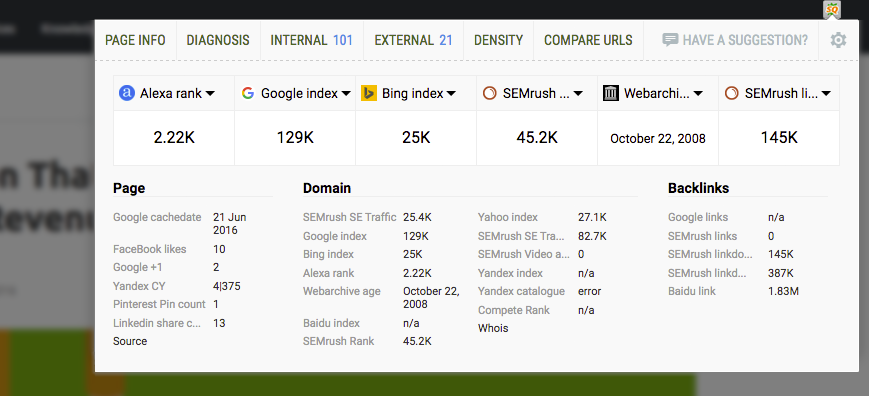
[ * ] “Wabarchive age” worked again
[ * ] “Bing indexed pages” worked again
[ - ] Removed SEObar showing on FaceBook.com

Posted in Change log [SQ Chrome] | 1 Comment

New version 1.0.12 SQ for Chrome has been released

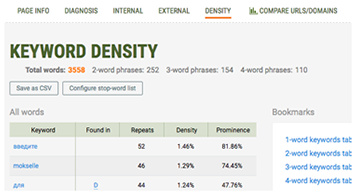
[*] Density bug fixed (Original text was splitted incorrectly)

Posted in Change log [SQ Chrome] | 7 Comments

Good Links vs. Bad Links: Where Does your Site Stand?

Anyone who knows much about SEO knows that backlinks – where one site links back to another – are important for your search ranking. The more backlinks you have, the better – in general. But there are good links and there are bad links that you don’t want. Google considers some backlinks to be worthless or even poisonous to your site’s health.
links
So, let’s talk about links – good links and bad — and figure out which links you want to have and which you should avoid like Dengue fever.

Good Links

Google loves nature. Naw… they aren’t out there bird-watching. But they do they want to see Internet nature taking its course.  They want the content placed on the Web to be so amazingly bomb that people will just link to it naturally.

So, for example, look at Wikipedia.  When you search for just about anything, you will probably see Wikipedia listed on page 1, often at or near the top.

Why?

Because people want to explain things to their readers, and it’s much easier to add a link to Wikipedia than to go into a long explanation.  Though you can’t really rely on Wikipedia to provide 100% accurate information, many people think that you can. So, Wikipedia gets tons of backlinks.

I won’t get into a discussion of how fair this is not, but suffice to say, I think it sucks. Don’t get me wrong… Wikipedia has its place, but Google has made it just a little too powerful when you can’t completely rely on the research there, capiche?

Yet, Google sees these backlinks as “good” links because they happen naturally.

Do Follow and No Follow

There are two types of link that can be potentially good or bad, but it’s a coding convention that can either allow search engine spiders to follow the link from one site to another or tell them to STOP right there.

Do Follow links are best because they do allow search engine spiders to follow a link to wherever it eventually winds up.

No Follow links stop the spiders from going any further with a short HTML tag that is added to the link. (rel=”nofollow”)  This is automatic in WordPress. Because of so much spam commenting in years gone by, the WordPress developers decided that all comment links would be no follow. So, links you may be earning through WP blog comments, for example, are usually no follow links.

Though do follow links are preferred, the SEO community has been hashing and re-hashing the idea that no follow links still pass some mojo. Yet, no one has been able to come up with a definitive answer.  Only the Google ghods know for sure.

That said, your linking profile should look natural.  You should have a distribution of both types of link.  If you have only “do follow” links, it’s a sure signal to Google that you’re doing something wrong.

Reciprocal Links

Reciprocal links, where one webmaster links to you and you link back to his or her website from yours, used to be a great way to get backlinks and a way to getting your site rank higher. However, Google has changed its position on links such as these.

Though reciprocal links won’t hurt you, they probably won’t help you much, either.   Google doesn’t see them as having been earned.  Yes, according to the Big Dog, if you don’t at least bleed a little for your link… it’s pffft!

One-way links are best. That means, a site just links to yours, period. You don’t link back from any of your pages and search engines consider a one-way link a “vote” for your site. The more votes your site has, the better your rankings will be.

Bad Links

These are the worst type of backlinks to have, and these links can get you into major trouble.  You can even suffer the dreaded state of Web existence called “de-indexing.”  Yep… Google can just take your pages out of their search index, period.  That’s hard to recover from.

The biggest no-no is paid linking, where you pay a service to place your link on sites with higher page rank than yours. This used to be perfectly OK, too, but a few years ago, Google decided they wouldn’t allow paid linking any longer because they saw paid links as “gaming the system.” It kind of was, in reality.  Paid linking is kind of like buying votes in an election. Sure, it’s done, but you don’t want to be caught doing it.

Google also denies links that you got through any kind of linking system , which they call “link schrusty linksemes.” Link wheels, which were big a couple of years back, for example, were an easy way of getting your pages ranked in search.

In these systems, you would add your web page to the system, along with thousands of other pages, and a link back to your site would be placed on other pages in your niche. You probably agreed to host links from other sites in your niche, as well. Usually, you had to pay for a service to do this for you to keep everything humming.

A couple of years back, there were also blog networks that would take your article and place it on one of its system of blogs. The blog where your article was placed was supposedly in your niche, which wasn’t always the case.

The content people wrote for these networks was often spammy, too – spun, duplicate, or just pure garbo, and that’s just what Google is fighting against these days. They want to clean up the Web.

Though getting backlinks has become harder and harder for SEOs, I do applaud that effort.  Who needs to search for something and get a whole page back of irrelevant results or results that all lead to the same website.  Black hatters (people who use tactics meant to game the system) used to be able to do that, but not so much anymore.

If you have either paid links, links from a link wheel system, or links from any type of content exchange  network, find them in your Google Webmaster Tools account and banish them to oblivion.

Links from your site to your site

If you have two or more websites, you may have them linked together. There’s nothing wrong with that, but rumor has it that Google is discounting these links, too, so it’s not something you should care too much about doing.

Links in “Bad Neighborhoods”

OK, so what’s a “bad neighborhood”? It could be a black hat site.  Or, more likely, it’s about gambling or porn.  Though Google still ranks sites such as these, you really don’t want to have an association with them, unless of course, you’re in the gambling or porn niche, it probably doesn’t matter.

Where do we go from here?

Of course, the optimal link back to your website is a “do follow,” one-way link.  You can get these by guest posting on blogs in your niche or just by “link baiting” with killer content. Link baiting means you give people a reason to link back to you within the content.

So, for example, you write an article to teach new webmasters how to optimize their sites and keep Google happy at the same time. A great way to provide more information without having to parrot back all of their exquisite requirements is just to link to Google’s SEO Starter Guide. It’s link worthy.

But if you have links that aren’t so kosher with Google anymore, you should really use Webmaster Tools to go through them and figure out which ones are hurting you. It won’t be easy, fun, or quick, but if you expect to get search rankings back that you lost because of a Panda update, you MUST!

Otherwise,  just build a new site and start all over again. Google doesn’t penalize webmasters (at least not yet), only web pages. That said, if you’re a black hat person who will do anything to show up in the SERPs (search engine results pages), Google might just kick you and everything about you out of their index. Just sayin’.

The simple way to get rid of nasty backlinks is to contact the owner of the website where the link lives and ask for it to be removed.  That works sometimes, but sometimes, it doesn’t. Webmasters ignore you or they just don’t care.

If you have a whole lot of these spurious links, you can use Google’s or Bing’s link disavow tools, but you should use them with caution. Google says that most webmasters won’t need to use their tool, but if you spent a lot of cash on link wheels or have some low-rent site linking to you thousands of times, you may want to look into using these tools to get rid of unwanted chaff.

But beware. Even Google says it should only be the method of last resort.

The Big Dog Knows

Yet, some of it doesn’t matter. For example, I had thousands of links coming into my site from two sources when Panda hit in May of 2012.  I asked one site to remove their links and I believe that we’re down to zero from nearly 12,000.  The other site has nearly 4,000 links coming in. I emailed them about removing the links and they totally ignored me.

I could use the disavow tool, except… Google knows about these types of site and how they work. According to a comment made by Google’s John Mueller on June 29, 2012:

 So, you really needn’t do anything for Google. UpDowner was the site that removed all of their links from my site, to their credit. I’m not too terribly worried about the other site, however, and probably won’t bother with the disavow tool for that particular site. Google already knows which sites are spewing links out for sites all over the Web and that their backlinks are pretty much worthless. They’re just not counted.

Keep it Clean

The important thing to remember in all of this is not to try and force links.  Starting in 2010, infographics became all the rage. People put a lot of work into creating these visual snapshots of just about any topic and these were touted as the newest, bestest, greatest way to get links back to your website.

And they were. It worked for a while, but is it working anymore?

Doubtful.

Google saw the embedded link back to the infographics maker’s site as not being a true endorsement of the creator’s website.  The same goes for blog themes, where the theme developer adds a link back to his or her website at the bottom of the theme. It’s not a true endorsement.

The best thing to do right now is just become a content genius. Create written text, video, and audio with care and make it the best darned content anyone has ever read. You can teach, entertain or inform, but whatever you create for whatever purpose, you want it to be GOOD.

That’s how one-way, relevant links are born.

Enhanced by Zemanta
Posted in News | Tagged , , , , | 3 Comments

New version 1.0.11 SQ for Chrome and 2.8.8 SQ for Firefox has been released

[ - ] FaceBook integration was removed due their demands

By February 15th, 2013 SEOquake Team is to discontinue its integration with Facebook. Starting with  the current update no likes will be displayed by the toolbar. The reason for the change is explained in a bit more details here

Posted in Change log [SQ Chrome], Change log [SQ FireFox], News | 11 Comments

10 Ways to Get Leads from Twitter

Many small business owners shy away from Twitter because they don’t think it’s an effective way to generate leads. But a 2012 survey from Hubspot found that 44 percent of marketers acquired customers from Twitter. If you’d like to start getting business by tweeting, here are a few strategies to implement:

1. Build your network – You won’t be able to generate any leads without a good network on Twitter, so that means you need to build a following. The best way to do that is to follow other people, such as colleagues, customers, and potential clients in your industry. Mention them in tweets and retweet their content on a regular basis. The goal is to start conversations, so that you can build trust. The cliché is still true – people do business with people they like and trust!

2. Optimize your Twitter presence – Your prospects won’t be able to find you on Twitter if your profile isn’t optimized. Include keywords in your profile that describe your business and/or industry. Also, include keywords in your tweets. You can include them in the body of the tweet, or set them apart with a hashtag.  For example, let’s say you are tweeting about a blog post that talks about how to get leads from twitter. You can include a keyword like: #smallbusiness if you want to target small business owners.

3. Tweet valuable content – Keep your prospects’ needs in mind when creating tweets. Share useful information that helps them solve their problems. This can be content you create or content from other experts in your industry. If you do any lead generating special events such as webinars or teleseminars, you can reach a whole new audience by tweeting out the invitation link. A good rule of thumb for developing an appropriate content mix is to use the 4-1-1- strategy.  For every one tweet you post linking to a piece of your own content, and another tweet that is purely promotional, you should post 4 tweets of content from other industry leaders.

4. Tweet regularly and consistently – Any type of marketing requires consistency. Social media marketing, in particular, requires that you spend time on a network and use it regularly. So, don’t think you can tweet once a week and that will do it. Twitter is a high volume channel. You have to tweet enough to get noticed by your followers and prospects, otherwise, you’re just wasting your effort. But you can overdo it too.

TrackSocial studied the tweets from top brands and found that there seemed to be a “sweet spot” for tweeting 4-5 times a day. Their survey found that when a brand tweets 2-5 times per day they get more Retweets per Tweet, by up to 300%, compared to when they Tweet only once a day. TrackSocial also found that there was a drop-off in response when a company tweeted more than 5 times a day.

5. Create a dedicated Twitter landing page – If you want to be a step ahead of your competition, create a dedicated landing page that caters specifically to Twitter users. Include the URL for the page in your profile. Make sure this page either introduces your company, or offers a piece of lead generation content, such as a white paper or eBook.

6. Tweet links to landing pages – Now that you have created this dedicated landing page, tweet about it!  Not every hour, on the hour, mind you. Tweet a few times a week, and at different times of the day, so you can reach different prospects.

7. Share valuable content from your blog – Businesses that blog have 79% more Twitter followers than ones that don’t. The relationship between blogging and Twitter is even better for companies with fewer than 15 employees. These small businesses have on average 102% more Twitter followers than those who don’t blog. Just make sure you have lead generation calls to action on your blog and then link to it during your tweets.

8. Monitor industry terms – Use Twitter search to monitor industry terms and then follow users who mention those terms, or engage them in a conversation. Ask questions or offer advice, and invite interested users to join your email list or become a follower on any other social media channel you use, such as Facebook or Pinterest.

9. Participate in Twitter Chats – Want to expand your social network, showcase your expertise and learn from other experts? Take part in a Twitter chat. There are more than 600 of these organized events happening on Twitter at various times of the day or night.  Ask questions, share insights and discuss. TweetReports.com offers an ever growing list of Twitter chats on a variety of subjects, complete with the chat hashtag, topic, moderators and date and time the chat takes place. Or you can follow @ChatSchedule for a real-time listing of chats currently happening on Twitter.

10. Weed out people you follow – There’s no rule that says you have to follow everyone who follows you on Twitter. Use third-party Twitter tools if necessary to weed out spammers and other users who aren’t good prospects for your product or service. Remember, it’s more important to have a smaller network of people who are interested in what you’re tweeting about, then to follow people who don’t interact.

These are just a few suggestions of how you can generate leads with Twitter. Remember that you are limited in the number of characters you can post (140), so keep your messages short and to the point. Don’t try to “sell” people. The goal is to carry on a conversation while sharing interesting and useful information about your business.

Posted in News | 4 Comments

Oh No! USPS is Discontinuing Saturday Mail Delivery, but Have They Minimized Their PPC?

USPS 4


What!? No more Saturday mail delivery from USPS? I’m not sure how I’m going to handle an empty mailbox on Saturdays when this goes into effect for the US Postal Service this summer (I may be one of the few who actually enjoys sifting through my mail Monday-Saturday, even if it is only junk). Yet, I can understand the reason behind it as many of us are on a budget and trying to save precious dollars. In an effort to save money (we’re talking $2 billion) and eliminate debts that are way beyond that, USPS has announced today that they are going to stop delivery and pick up on Saturdays (although packages, not letters, will still be delivered – probably to keep  up with other competitors such as UPS and FedEx who deliver on Saturdays). After seeing this news pop up on my phone today, I immediately became curious as to what types of Internet marketing habits USPS may (or may not) have been using.

USPS may have begun free mail delivery Monday through Saturday back in 1863, but that surely doesn’t mean that they are using old, outdated techniques for their Internet marketing. Instead, they are using PPC to their advantage, especially lately; their ads keywords took a huge spike in November and December of 2013, and only went down a bit as of January (especially for positions 1-3).

USPS 1


USPS 5


USPS is bidding on quite a few keywords that are relative to their name and tend to use very repetitive ad copy (it was changed a bit for the holiday season, but the ad above for “USPS Holiday Shipping” was actually active as of January, so maybe they need to take a look at their texts again). They are bidding on us postal service and allocating 27% of their budget to it and it generates almost 19% of the traffic to their sites:

USPS 2


When and if I have needed to look something up on USPS.com (such as to complete my address change a few months back or look up a post office location to purchase some stamps – yes, I still pay ONE bill via snail mail), I habitually type in the website and don’t necessarily need to look it up in a search engine, but that obviously isn’t the case for everyone judging by keywords, volume, and results. It also looks as though the keyword post office generates the most results with 2.89 billion – and they are also ranking number one for it as well even though they are bidding on it. Tsk, tsk. In taking a look below, we can also see how many keywords they have been bidding on since November of 2012. Maybe they have been trying to increase sales and overall recognition in preparation for today’s announcement:

USPS 3


Fun fact: the keyword does usps deliver on Saturday is searched for about 3 thousand times per month, and that’s a pretty hefty number for such a specific keyword. I guess that won’t be a question anymore as of today, and it will be interesting to see how the United States Postal Service changes their PPC in the coming months to offset this unfortunate news. It is sad to say that after 150 years of Saturday delivery, they have decided to put an end to it and rely on a mere Monday-Friday schedule. However, I did a little bit of research and found that back in 1957 Saturday deliveries were also ended because of budget issues, but brought back the following week due the upset of the public. Sounds oddly familiar, so might this be the case in 2013, as well? August is pretty far off, so let’s not fret and enjoy our Saturday mail delivery while we can. Just in case.

Another fun fact: back 1905 in Philadelphia, Pennsylvania (where SEMrush headquarters are located) only 7 trips were made by carriers from the main post office daily. Talk about the change 108 years makes.


Posted in Articles | Comments Off

The Evolution of SEO – How to Keep up With the Googles

In the beginning, developers built Web pages. They kind of just hung out there waiting to be shared by their owners or anyone who knew the address. Sure, there were keyword-based search engines like Infoseek and AltaVista but they weren’t completely reliable. When Google came on the scene, the search game completely changed. Google’s main premise was simple: the more links a site has pointing at it, the more popular it must be. For Search Engine Optimizers, that was a simple time. Most SEOs simply grabbed as many links to their site as they could, and stuffed keywords all up and down their content. Title tags and the image ALT attribute became the SEO’s best friends. But SEO has evolved far beyond these tricks, while few SEOs have evolved with it. This post will focus on how SEO has changed and how you can change with it.

First and foremost, Google developed more sophisticated algorithms and the rest of the search world quickly adapted and followed suit. Relevancy became a big deal, making SEOs need to use appropriate keywords into their content. No longer could your site rank for off-topic keywords. Anchor text on inbound links also became relevant. We constantly hear “content is king.” It always was, still is and will likely continue to be for years to come. Content has merely evolved. It has been a slow evolution, but its evolution became the beginning of content marketing online.

While Content marketing is not new, per se, many technical SEOs may be new to it. Google has been on an ever-quest to seek out sites with fresh content. As far back as 2007, Google indicated how important  finding fresh results was to their product. In 2010, they introduced the Caffeine indexing system, enabling their crawler to find new, fresh content in near real-time. Since then, Google continues to find fresh content, even going so far as to modify their SEO Starter Guide expressly stating webmasters should “create fresh, unique content.”

Social media continues to be a large signal in search results. By and large, people tend to share new, fresh content on social media more than older posts they come across. This lends itself to more fresh content than anyone thought possible. Many people use social media to glean ideas for writing their own blog posts. After all, new blog posts are certainly fresh, unique content, right? Sometimes.

There are occasions when other bloggers – or automated scrapers – “borrow” too much content from other sites. This would sometimes cause the plagiarizer’s site to rank higher than the original author’s. So while good SEOs were creating unique and original content, others were getting the credit for it. This led to a need for search engines to try to determine the true author. Enter authorship markup.

You use authorship markup to indicate you are the true author of a page or blog post. Adding a simple code to your page not only helps Google determine the original author of a post, it provides new SEO signals that will improve ranking and bring additional benefits. You likely have seen pages using authorship markup appear in search results. They contain an image of the author and look similar to the following:

thom craver 1

This is made possible by using the rel attribute – newly redefined in HTML5 – to describe the relationship between the webpage and the author. You simply add rel=’author’ to your author page set up reciprocal links to and from your Google+ profile page.

Authorship markup is only one piece of a larger set of new HTML tags site owners can use to mark up webpages. These new HTML codes make it easier for search engines to better understand what the words on your page mean.

For example, if you were looking for the phone number of your local pizza joint, you might go to Google and search for pizza, expecting Google to know your location and provide the restaurant’s phone number. If you were travelling and looking for a great pizza place near your hotel, you would expect different results for your [pizza] query. You would also want more than a phone number. You would want to know the restaurant’s hours, if it delivered, and if it was rated well.

Semantic search is the process by which search engines determine exactly what you’re looking for. It takes into account your query, search history and location and matches that with information provided by the resultant website and other related social sites. It does this through the semantic HTML markup, sometimes called structured data. This structured data markup allows site owners to tag various attributes in their documents to help organize the data and make them better searchable.

Structured data is the technology that allows search engines to pull star ratings in for movies or restaurants, map coordinates for a local business, or find whether a particular product is available in a story near your location. These additional data elements come together from markup and from external social sites like Google+. Structured data comes in many formats. However back in 2011, Bing, Google and Yahoo combined efforts to agree on a common set of definitions. You can find them all at schema.org.

On-page content elements like title and heading tags are still important and still require proper keywords. But original, fresh content is still very important. Google’s continued Panda algorithm updates focus on original content. As search engines continue to evolve, they use multiple user signals to semantically understand search queries. Using authorship markup and other structured data will help your site be better understood. Search is getting more mobile and search results continue to become more personalized, especially with respect to location. Therefore, helping the search engines better understand your content is becoming increasingly important. Remember, your goal is not merely to be found; it is to be found relevant so your visitors convert.

Posted in Articles | 1 Comment

5 SEO Plugins Every Blog Should Have NOW!

My SEO chops kind of came hand-in-hand with my WordPress chops. I learned them both at the same time and so, they have been growing along together. That started back in 2006, and today, I love WordPress more than ever.

My company builds websites for people, among other services we offer, and I always recommend WordPress, no matter what type of site it is and no matter what niche the site is about.  You can make the WordPress platform as complicated as you want to make it or as simple. Plus, it’s great for SEO because it is well structured and the RSS feed assures that spiders will see your amazing content with no hassles.

Today, great content is also what SEO is about.

I’m not talking about WordPress.com, though, so don’t be confused. WordPress.com is a hosted blog solution and it’s nowhere near as customizable as the WordPress software on your own hosting account.  Yes, the .com option is a great solution for people who just like to write, but for business… it won’t work at all.

WordPress.com bans commercialism of any kind, even affiliate links. You can get away with it for a while, maybe, but if do something that WordPress or another of its users doesn’t like and reports you, WordPress can shut you down like a bank vault door that you’ll never get into again, and everything you’ve created will be gone, gone, gone for.ever! Don’t take that chance.

Install your own WordPress software on your own hosting account. Not only can you post anything you like, but your own WordPress blog on your own server also means you can customize the software to work any way you want it to, with plugins. I always say that if you want to do something with WordPress, there’s probably a plugin for it. You just have to look.

What I like best is that you can boost your SEO advantage, just by having some of the available plugins, and in fact, you can do it with 5 plugins alone.

Installing a plugin is easy, too. After you have installed the WordPress platform, just go into your WordPress dashboard, click Plugins, then Add New, and search for these titles. WordPress will install them for you, so it’s a no-brainer. Here’s the list:

#1 WordPress SEO by Yoast

If you’re still using All-in-One SEO Pack, I understand. It’s like that warm snuggly blanket you carried around until it fell apart when you were a kid.  Heck, I used the plugin myself.

But I’m a fickle blogger. WordPress SEO by Yoast (WPSEO) came along and my head snapped back. It was just love at first sight.

I know, you’re asking, “Why?”

First, it’s just more comprehensive. You can achieve a lot more with WPSEO. It’s built not just to help you make your posts more SEO friendly, but it helps you with things like sitemaps, robots.txt, and it will tell your blog not to double index your author posts, if you’re the only one writing in your blog.

But there’s so much more!

You can customize how your feed appears or make edits to your robots.txt file right from the blog. You also get to customize the SEO for every post you make. WPSEO will analyze your title, description, keyword density, and tell you if your image ALT tag is bare. If you pass the SEO test, you get a green light. If not, you can go to an analysis tab and find out what you’re not doing that you should be doing or what you’re doing that might land your page in the Google Garbage bin.

My only advice here is to remember that Google doesn’t want things to be too perfect anymore. So, if you’re over-optimizing for every single thing you can, that could be a yellow alert for spiders that you might be trying to manipulate search results. You don’t want that, even on ONE page of your website.

For example, one of the attributes that Yoast’s plugin tests for is header tags. If you have none, you get a yellow light on the analysis page. Here’s what I think: If you have a good reason to use a header tag fine. If not, that’s something that you can do without. Use your own good judgment.

This plugin was actually created by Joost van der Valk, a very smart guy from Holland, who probably got tired of people pronouncing his name as “Juiced,” and made his company name “Yoast.” We Americans can butcher any language, given half the chance, eh?

But enough about WordPress SEO by Yoast. Let’s move on to…

#2 AuthorSure from DIY Webmastery

One of the big things that Google is using to rank your pages now is your author status. Do you produce relevant, engaging content, or are you just spamming the Web?  If you’re spamming, give up. You’re already dead and just don’t know it yet. Get a new name and start over.

But if you’re writing quality content, you need to show Google who you are and what you write about.  That’s where claiming your Author status with Google comes in.  There’s a bit of code that you need to add to an author page and placement of your Google profile button and well… it can be pretty complicated, if you’re not a technological genius. I mean, it can be done, but AuthorSure is one really easy way to do it if you’re working with WordPress.

When you download the plugin, be sure to sign up for the online video tutorials from Russell Jamieson. He does a great job of walking you through the Authorship process step-by-step. Then, when Google is ready (yes, attaining author status is still at Google’s discretion, but set it up now so you’re ready), you will start to see your smiling face appear right next to your article or post. Even better, there’s a link to more results that lead to other articles or posts that you’ve written on the topic and a link to your Google Plus profile, too.

Google is taking this authorship thing pretty seriously, and you should, too.

#3 Jetpack by WordPress.com

Here is where I’m going to lose some of you, so let me repeat. WordPress.org (the open source software that you can download free and install on your own hosting account) and WordPress.com (a hosted blog solution) are two different things.

Still with me?

But… There is a way that you can make them work together that is really smart. Jetpack is a multi-tasking plugin. It does a whole list of things for you, but what makes it SEO friendly is that it helps you to get social juice and it will make your blog mobile ready, too.

Jetpack allows you to add important social buttons to your pages so that people can click and share, but one of its newest and best features, in my opinion, is that it will turn your blog into a clean mobile site, too. Both of these things are important as Google notices everything you do online now, which is kind of creepy, but well… it’s the cyberverse we live in.

But Jetpack isn’t just about SEO. It really does much more:

  • Keeps stats on the number of visitors to your website, where they came from, and what they typed in to get to your pages. Google doesn’t even give you this anymore, unless you’re an AdWords customer or are lucky enough that people searching for your site are logged into Google. Those results are the dreaded “not provided” you see when you are looking for the keywords people typed in to get to your site. Jetpack helps give you some of those back.
  • Streamlines your comments box so that spammers are less likely to bother with you, since they can’t add a URL. I still love Disqus, but it doesn’t play well with one of my themes. If this is true for you, Jetpack is another way to go. It also allows people to subscribe to your updates and to comments made on them.
  • Checks your spelling and grammar, which Google is also about these days. They’re trying to clean up the Web and the days, and I applaud that effort. Bad writing and misspellings are coming to an end. Never send a post out until you’re sure it’s 100% correct.
  • Much more, including making your blog part of the WordPress.com community, which is great for traffic and sociability. Just get the plugin. You’ll see what I mean.

#4 Redirection

Spiders tend to get whiney when one of your pages is missing.  If you’re like any other blogger, you have written posts you’d rather not have written or posts about things that are no longer true online.  Or, you may want to change your permalink structure, or for whatever reason, you’ve decided to NOT make a page found.

Redirection is the answer. You tell the plugin which page you discarded or moved, and what type of redirect it is. (It will usually be permanent or a 301 redirect.) Then, you plugin in the address for the new page or send traffic to a random page.

This is great! Spiders won’t be confused, won’t wet the bed, and all is right in your SEO world.

#5 WP Smush.it

Back in 2010, Google made a rather quiet algorithm change called “Caffeine,” and it measures the speed of your page. The faster your page loads, the better off you are in terms of search. Spiders don’t like hanging around while they could be over at another site spinning webs.

Smush.it is great, if you use lots of images on your blog (and who doesn’t.) It condenses those images so that their file sizes are really small. You can use Smush.it on images one-by-one, or you can get Smush.it to condense all of the images in your blog at once.  (If you have many images, this can take a while, but it works great.) This really helps your pages to load faster because some of us are still uploading right to the blog from the scanner or smart phone. BAD, bad blogger! If that’s YOU, you most definitely NEED this plugin right now!

In fact, you need all of them.  Making your blog or website as SEO friendly as it can possibly be will give you a real advantage over the people who just don’t pay attention to these things. How silly is that?


Posted in Articles | Tagged , , , | Comments Off